
Card Permissions
 By Adam on Sep 7, 2025
 ℹ️ Card permissions is a SongBoard Plus feature
In this guide, I'll go over how you can use SongBoard's Card Permissions to control who has access to certain parts of an event.
What are Card Permissions?
In SongBoard, card permissions are a way of setting who has access to a particular section (known as a card) in an event.
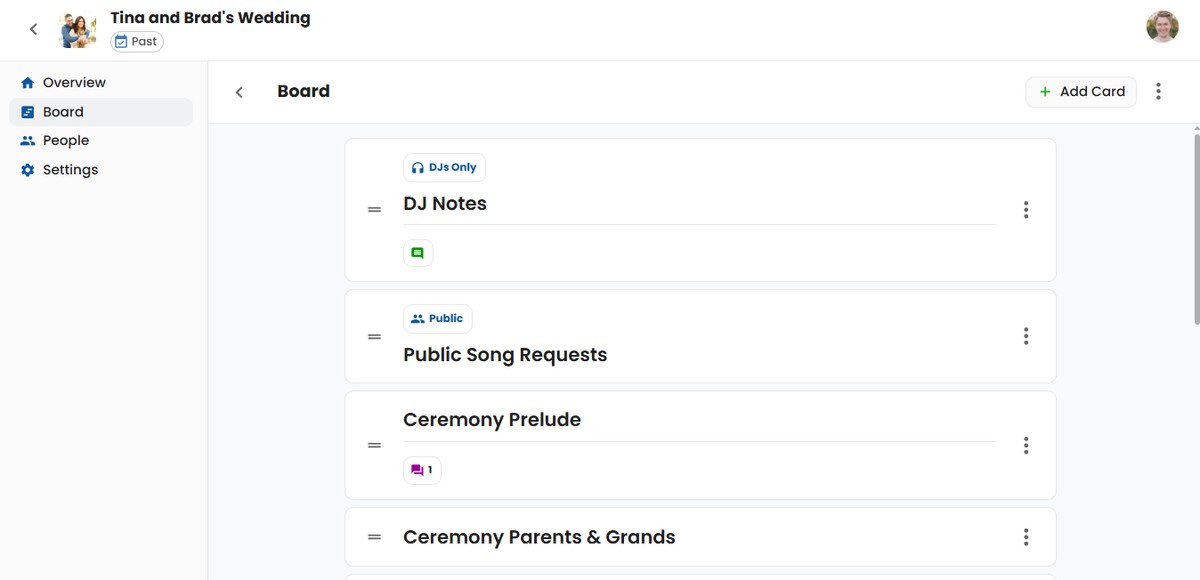
There are a few shortcuts SongBoard has for setting common card permissions:
Permission #1: Admins Only
"Admins Only" hides the card from DJs, hosts, and guests. Workspace admins can see and edit these cards in events owned by their workspace.
Only workspace admins can select this option or change DJ permissions.
Permission #2: DJs and Hosts
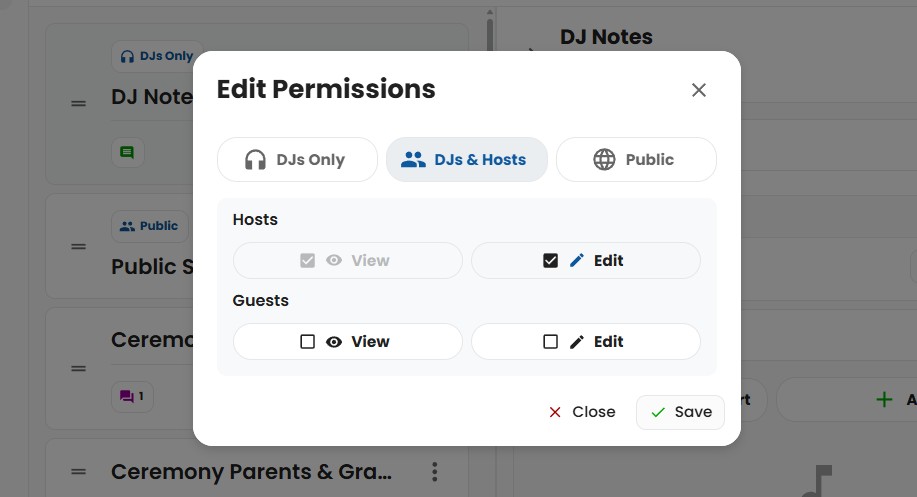
The default permission is "DJs and Hosts", meaning DJs and hosts can view and edit the card.
Permission #3: DJs Only
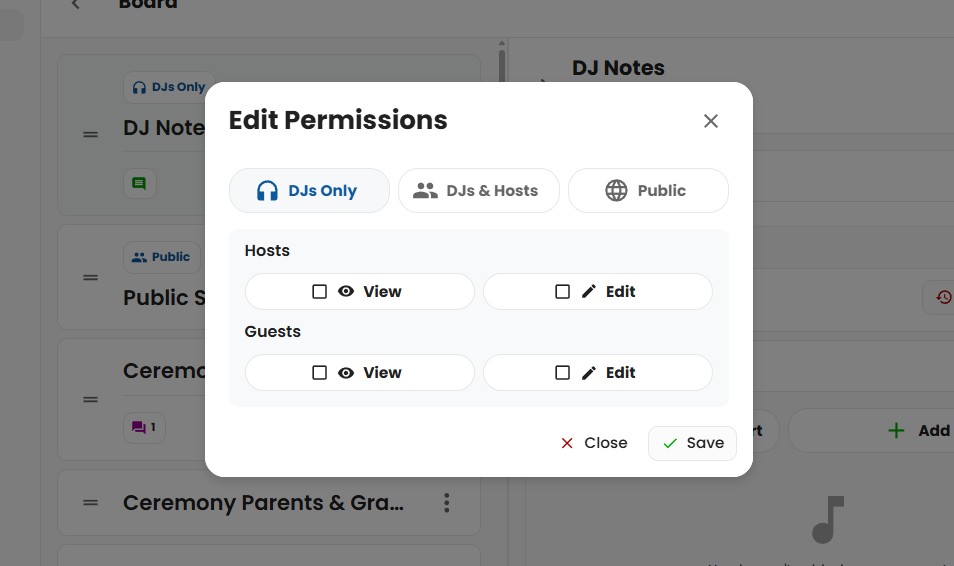
"DJs Only" is when you have a card that only the DJ should see and edit.
For example, you could have a card for "DJ Notes". In that case, you can configure the card permissions so only DJs can see that card (hosts and guests will not have access to even see that card).
Permission #4: Public
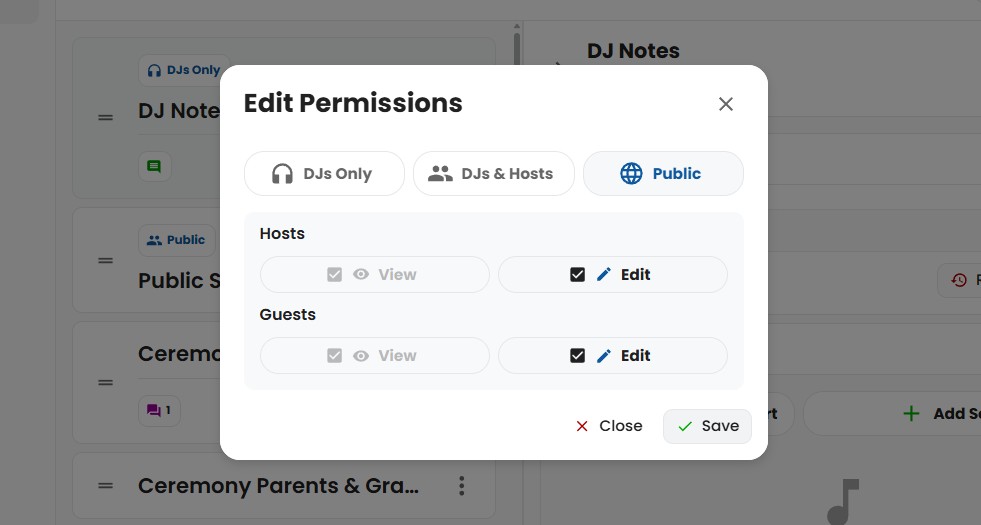
The "Public" permission shortcut is for when you want guests to be able to read and edit a card.
This can come in handy if you accept song requests from guests. You can make a card for "Song Requests", and give it "Public" permissions.
Custom Permissions
On the Permissions dialog, workspace admins can configure DJs, Hosts, and Guests. DJs can configure Hosts and Guests, but they do not see or change the DJ permission row.
You can use this to create a brand new permission, such as one where Hosts can view, but not edit. This could be used for distributing information to the host, without allowing them to edit (like sharing pricing information).
By default, DJs can still view and edit every card, so existing and newly created events behave the same as before. A workspace admin can optionally make DJs read-only or hide a card from DJs.
How to Set Card Permissions
To modify permissions for any card, simply navigate to the Board page for an event, and click on the card you'd like to set permissions on.
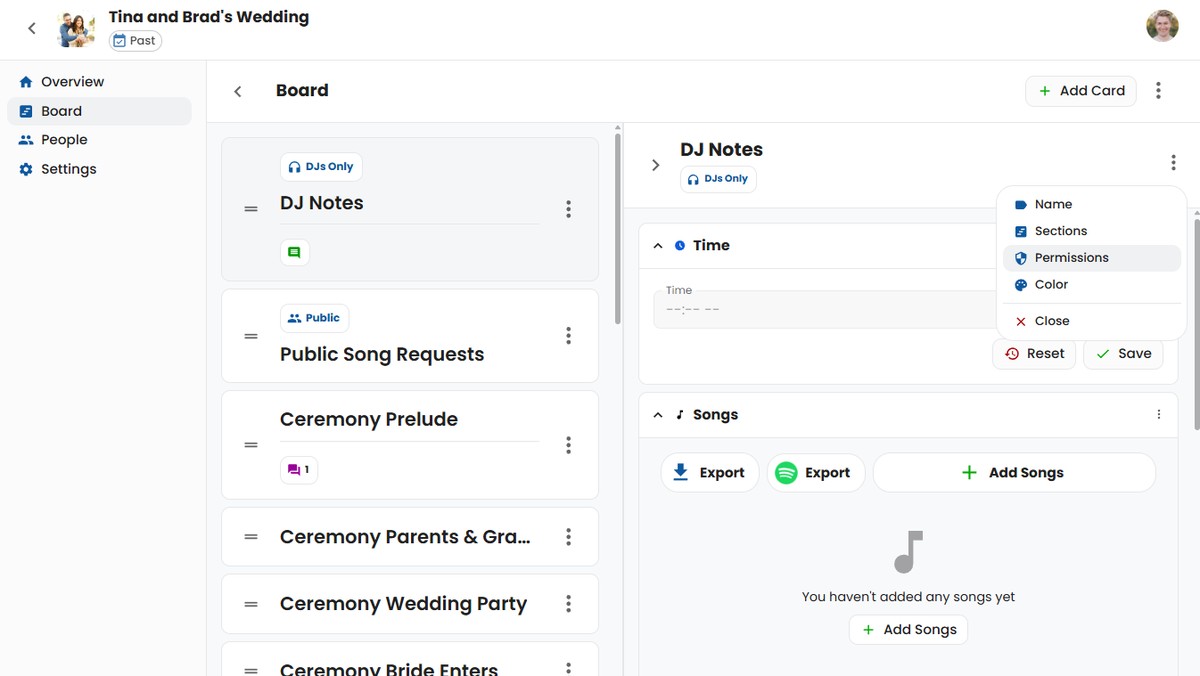
Click the 3-dot menu on the card's header and click on "Permissions". From there you'll be able to change the permissions however you'd like.
Workspace admins can change all card permissions. DJs can change Host and Guest permissions, but only workspace admins can change DJ permissions. Hosts cannot change card permissions.
Conclusion
Card permissions allow you to customize who can see, and edit certain cards. It allows you to create all sorts of unique workflows within your board.
It can be used for important notes for only DJs, public song requests, sharing pricing info, and much more.
So check it out and get creative with what it can do for your events! 😊
© 2026 SongBoard. SongBoard is a trademark of SongBoard LLC. All rights reserved.