
Introducing Contracts & Invoices in SongBoard
 By Adam on Nov 25, 2026
Plan Your Next DJ Event with SongBoard
SongBoard makes DJ event planning simple. Your hosts pick the songs they want to hear, share the schedule, and more. So you can focus less on logistics and more on DJing.
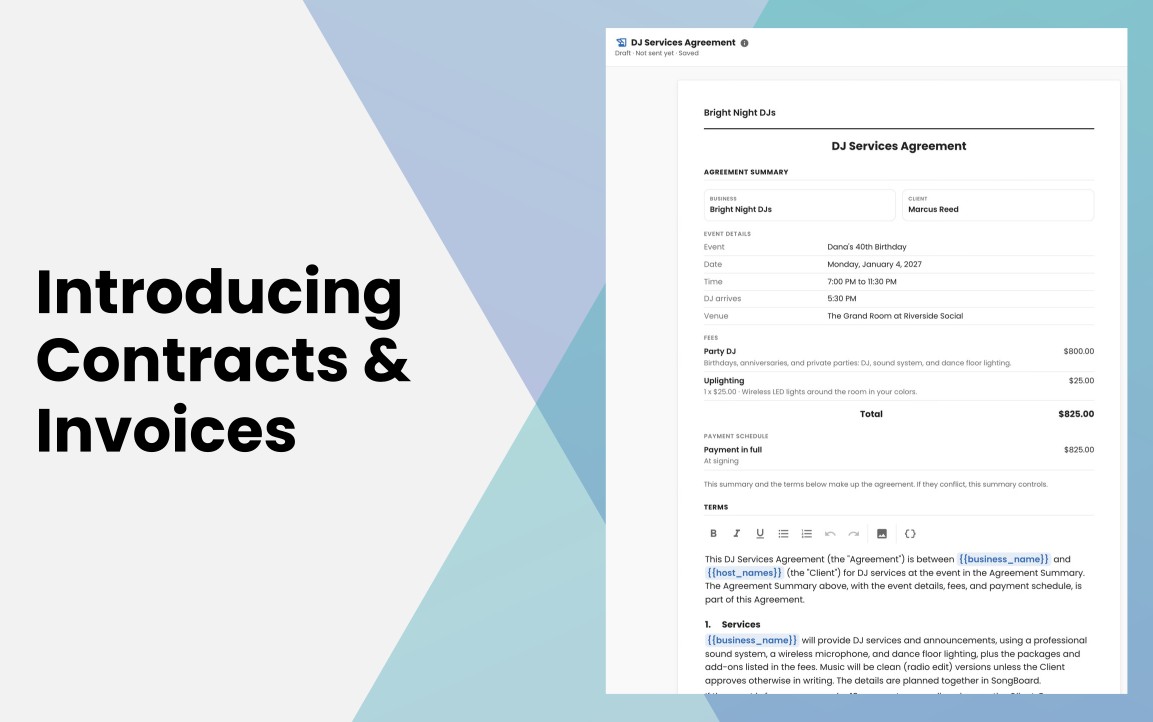
SongBoard now has contracts and invoices!
SongBoard has always been where you plan the event with your clients: the songs, the schedule, and the questions. But when it was time to send the contract and get paid, you had to go somewhere else. That meant typing the same date, venue, and price into another tool, and giving your clients one more link to keep track of.
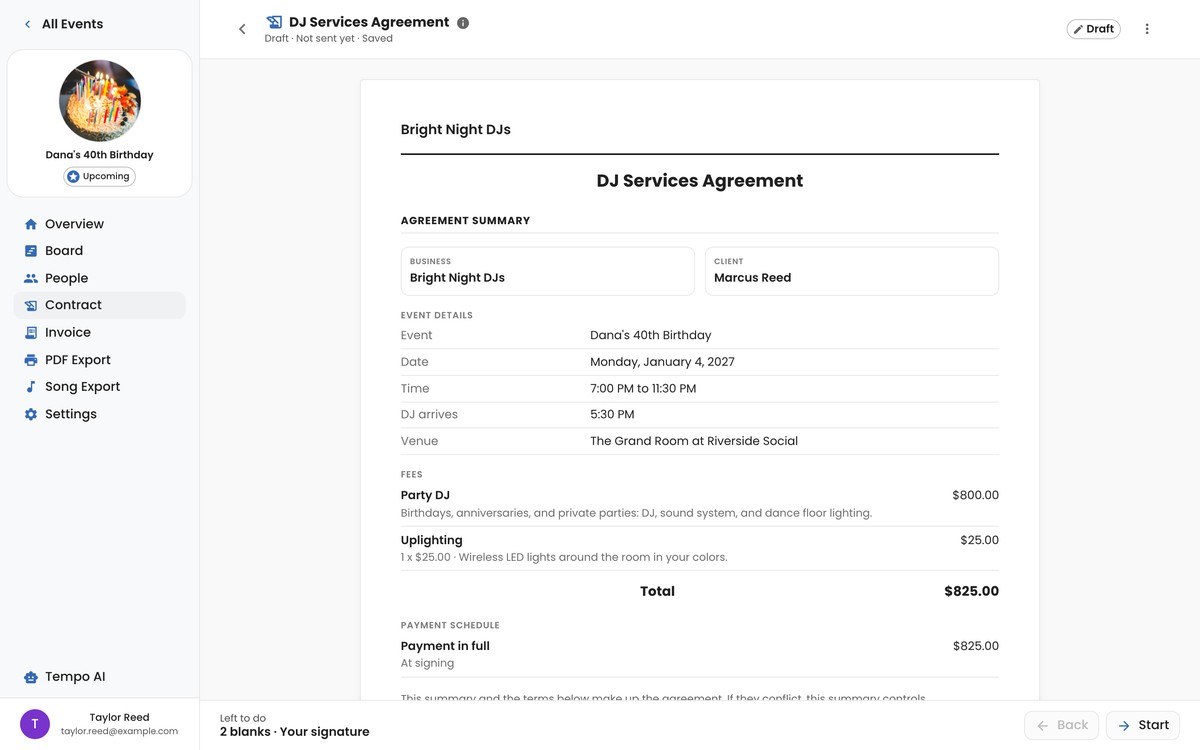
Now it's all in one place. Every event has a Contract page and an Invoice page, right next to Overview, Board, and People.
Here's what you can do with it.
Send contracts for e-signature
Start from one of SongBoard's contracts (there's one for weddings, one for parties and corporate events, and one for schools) or use your own. Already have a contract you like? Use Import from PDF on the Contracts page, and SongBoard turns it into a contract you can edit (up to 30 pages).
You edit the contract right on the page, exactly how your client will see it. The event details, fees, and payment schedule come straight from the event, so you don't have to type them in twice. Before you send it, SongBoard walks you through anything that's still missing (like a blank you haven't filled in, or your signature).
Then sign it and send it. Your client signs from their phone or computer, and a signed PDF copy is emailed to both of you. You'll also see when your client has opened it.
Save your signature once under Account > Signature and it's used whenever you sign a contract.
If the price, date, time, or venue changes after you've sent the contract, the Contract page shows you what changed so you can send it again (or keep the signed version).
Invoices and payment schedules
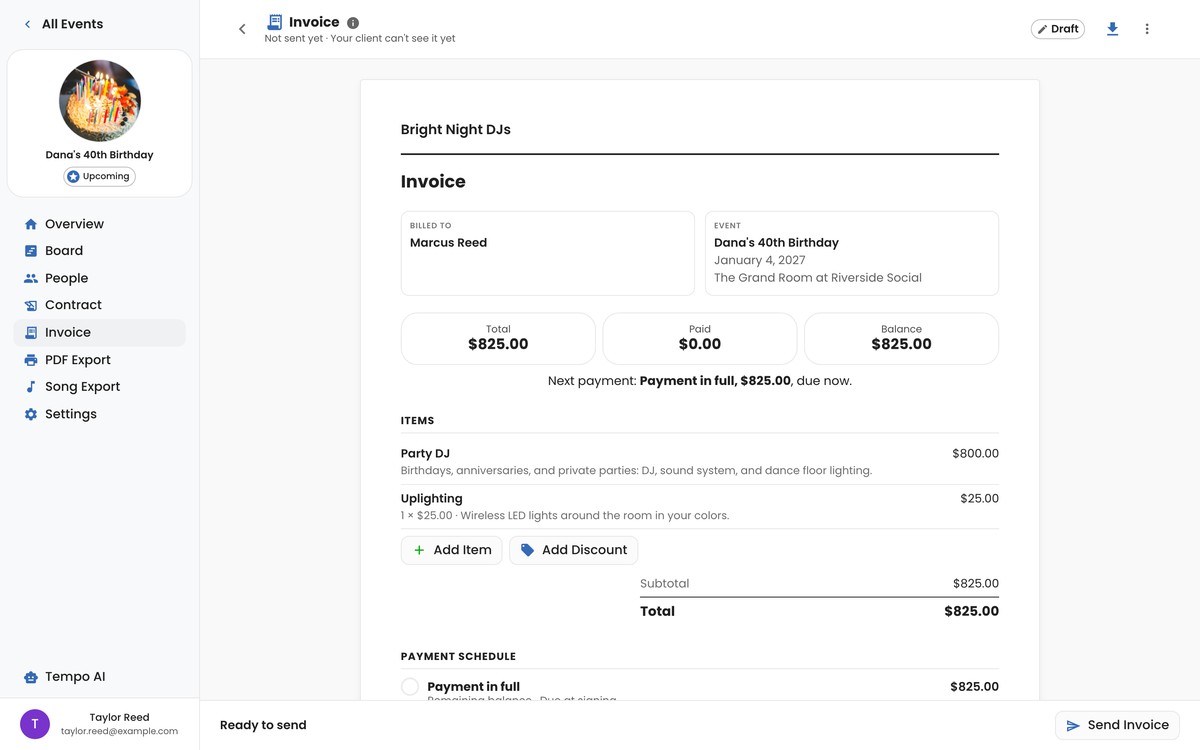
Add your packages and add-ons to the invoice, plus any discounts and sales tax. Then pick a payment schedule, like a retainer to book the date and the balance 2 weeks before the event.
SongBoard can email your client a reminder before each payment is due, so you aren't the one who has to chase them down. When a payment comes in, record it and email your client a receipt.
Get paid with Stripe or your own way
You choose how your clients pay you (in Billing > Settings).
With Stripe, your client pays by card, Apple Pay, or Google Pay right from their invoice, and the payment is recorded for you. SongBoard doesn't add any fees on top (you only pay Stripe's processing fees).
If you'd rather get paid your own way (Venmo, Zelle, checks, or cash), add your payment instructions to your invoices and record payments as they come in. You can also offer both.
See who still owes you
Workspace admins now have a Business section in the sidebar with Billing, Packages, and Contracts.
Billing shows what's outstanding, overdue, and due soon, plus the payments you've received (you can export them to CSV). Packages and Contracts are where you save the packages, add-ons, and contracts you use all the time, so you can reuse them on any event.
Each event also keeps track of where things stand. The Overview page shows each step from contract sent to paid in full, the Board shows whether the contract is signed and what's due, and the Events page shows any overdue balance. You can even add Contract and Invoice sections to your cards, with buttons that take your client straight to signing and paying.
Tempo can help too
Tempo 🤖 (SongBoard's AI assistant) knows about your contracts and invoices now. You can ask things like "Who still owes me?" or "How much came in this month?"
You can also have Tempo write or revise a contract, set up an invoice and payment schedule, or record a payment (always with your approval first). Tempo can't send, sign, or refund anything for you. Some things should still be up to you.
What it costs
Contracts and invoices are on every plan.
On SongBoard Free, you can send contracts and invoices for 1 event a month (updates and resends for that event are always free). On SongBoard Plus, it's unlimited, and you can also change the wording of the contract, invoice, receipt, and reminder emails your clients get.
New workspaces start with a 14-day SongBoard Plus trial (no card needed), so you can try all of it before you decide.
How to get started
If you already have a workspace, go to Workspace Settings > Set Up Your Workspace. Answer a few questions (like what kinds of events you do and how your clients pay you), and SongBoard adds contracts, payment schedules, and packages for those events. Nothing you already have changes.
Or just open any event and click Contract.
If you use the SongBoard app on your phone, the Contract, Invoice, and Billing pages are coming with the next app update. Until then, your clients can sign and pay from the links in their emails.
If you have any feedback, I'd love to hear it. Just send us an email at support@songboard.app.
Read the Latest From SongBoard
Join Our Mail List 📃
Hear the latest from SongBoard, right as it happens. We'll send out an email for any major updates, and discount offers.We will never spam you or sell your information, and you can always opt-out at any time using the link at the bottom of any email.


© 2026 SongBoard. SongBoard is a trademark of SongBoard LLC. All rights reserved.